Vendor representative
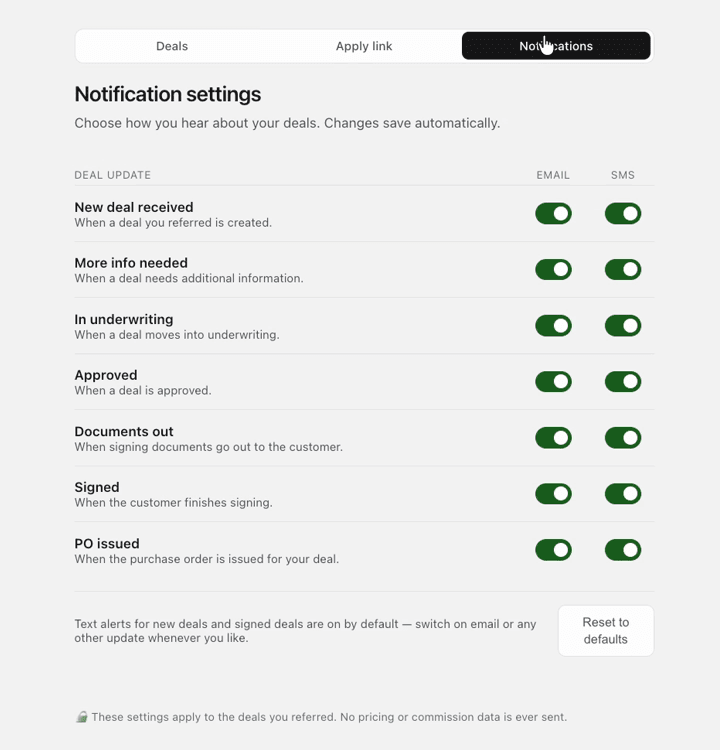
Configure PartnerView notifications
Use email or SMS preferences available to your program and role. Disabling an alert does not change the deal or LeasePoint's customer communication.
Notification hygiene
- Confirm your current email and mobile number.
- Subscribe to milestones that change your follow-up action.
- Do not expect restricted applicant information in an alert.
- Use the support route for a missing transactional notification.
Example screens
These demonstration screens illustrate the workflow. Labels, fields, and availability may vary by program and production release.

Use the secure experience for your actual information
This article provides general guidance. Your actual application, option, agreement, requirements, payment obligations, and account status may differ. Signed documents and secure account information control.
Need an account-specific answer?
Contact the right LeasePoint team
Choose a route without posting private application, bank, identity, or account information here.